
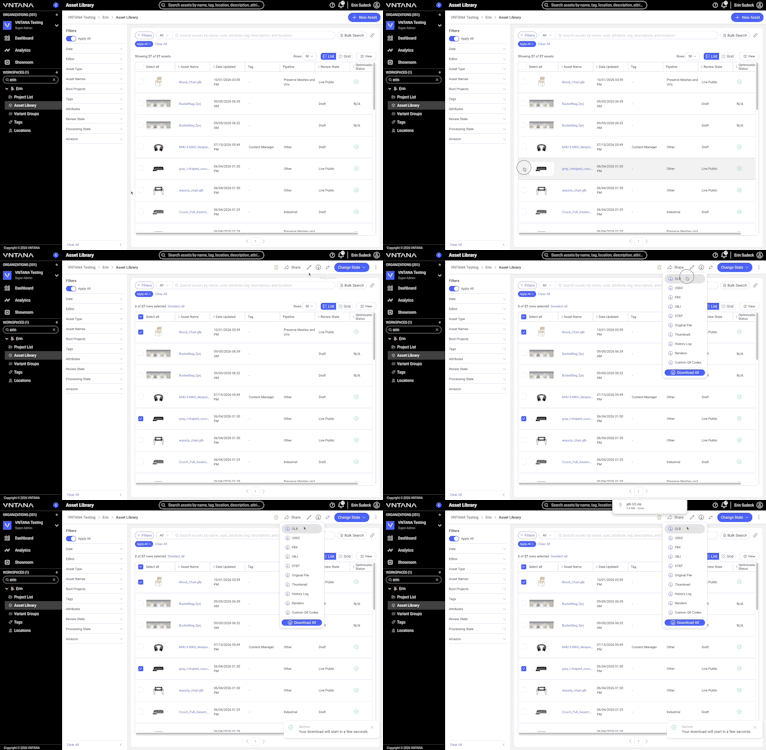
From the Asset Library within a Workspace, users can select multiple assets and choose which file types to download. The Platform packages the selected files into a single ZIP file, organized into separate folders for each asset.
Supported download options include:
- Original Files
- Optimized Files
- Asset Thumbnails
- Asset Renders
- Custom QR Codes (available in the Asset Attachments), when available
Plan / tier availability
- Available for all plans/ tiers. Optimized files and thumbnails are only available when the asset is in a Live state.
Integrations or Dependencies
- A maximum of 100 assets can be selected for a single bulk download.
- Asset Attachments are not supported by Bulk Downloads.
How to Use It
Follow the steps below to bulk download assets.
Open the Asset Library
- Log in to the VNTANA Platform.
- Open the Workspace containing the assets you want to download.
- Navigate to the Asset Library.
Select Assets
- Select the assets you want to download. You can select up to 100 assets at a time.
- Confirm that all the intended assets are selected.
Choose Download Options
- Click the Download button in the page toolbar.
- Select the file types you want to include in your download:
- Original Files
- Optimized Files
- Asset Thumbnails
- Asset Renders
- Custom QR Codes (available in the Asset Attachments), when available
- The download will initiate immediately after selecting the file type to download.
You can select a single download option or multiple options, including all available options.
Access Your Downloaded Files
The Platform downloads a single ZIP file containing the selected files, organized into separate subfolders for each asset.
Open the ZIP file and navigate to the folder for the asset whose files you need.
Troubleshooting Basics
|
Issue |
Quick Check |
|
A file type is missing from the download. |
Confirm that the file type was selected before initiating the download. |
|
A custom QR Code is missing. |
Custom QR Codes are included only when available for the selected assets. |
|
The downloaded files are organized into multiple folders. |
This is expected. The ZIP file contains separate subfolders for each asset. |
|
Asset Attachments are missing. |
Asset Attachments are not supported by Bulk Downloads. |